

Access this configuration by going to WP Admin -> PeepSo -> Configuration -> Woocommerce
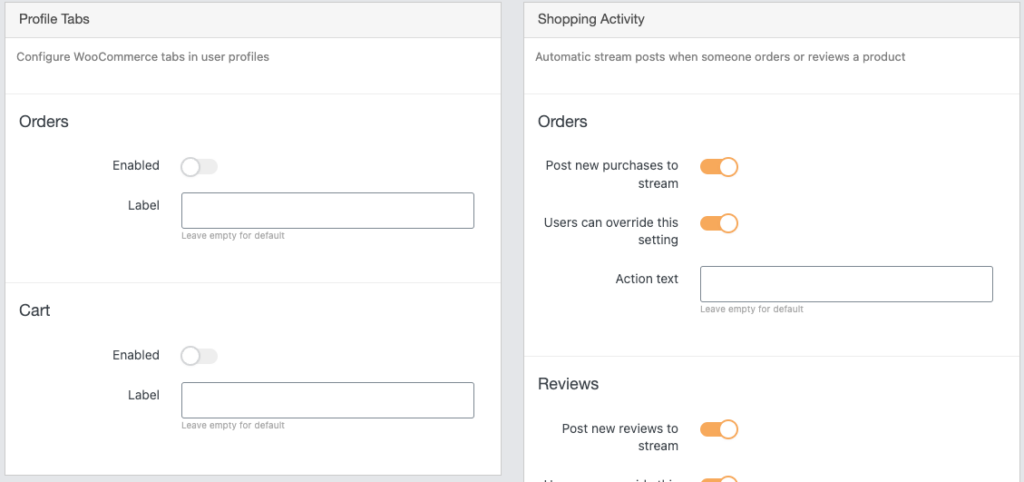
Profile Tabs #
Orders #
- Enabled – Show “Orders” tab in user profiles
- Label – Change “Orders” label with a custom label, leave empty for default
Cart #
- Enabled – Show “Cart” tab in user profiles
- Label – Change “Cart” label with a custom label, leave empty for default
Products Vendors #
Requires WooCommerce Product Vendors to be installed and activated.
- Enabled – Show “Products” tab in user profiles
- Label – Change “Products” label with a custom label, leave empty for default
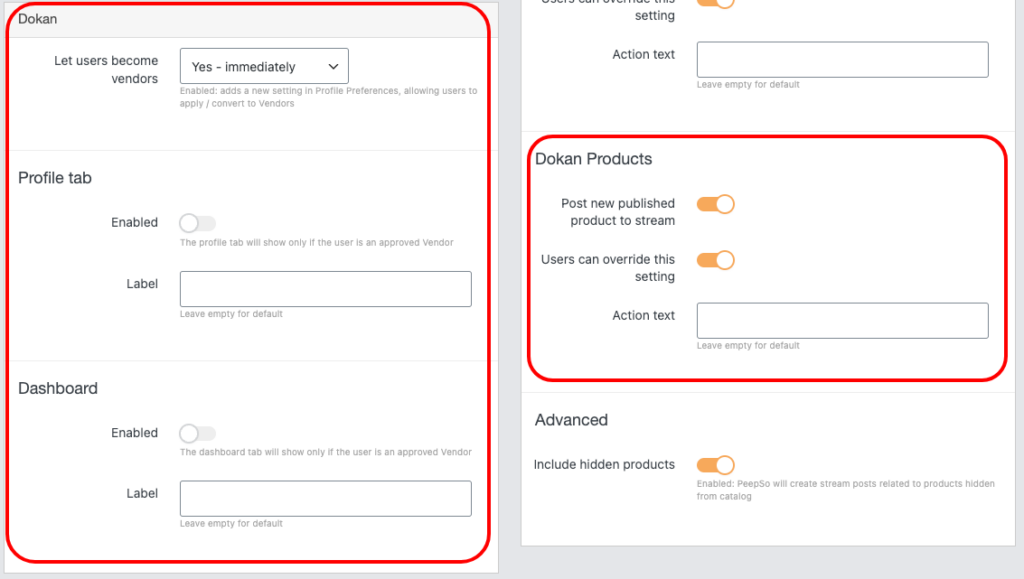
Dokan #
Requires Dokan to be installed and activated.
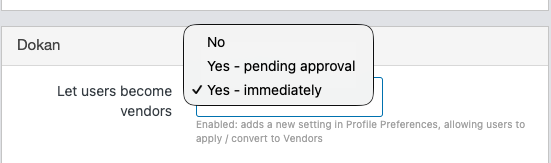
- Let users become vendors – No, Yes – pending approval, or Yes – immediately.
- Profile tab – “Enabled” to show “Products” tab in user profiles, “Label” to replace “Products” label with a custom label, leave empty for default.
- Dashboard – with the similar options as above.
Shopping Activity #
Orders #
- Post new purchases to stream – Enable/disable post to activity stream when user purchase an order
- Users can override this setting – User can override this setting in their preferences
- Action text – Modify action text on stream when user purchase an order
Reviews #
- Post new reviews to stream – Enable/disable post to activity stream when user review a product
- Users can override this setting – User can override this setting in their preferences
- Action text – Modify action text on stream when user review a product
Docan Products #
If Dokan is installed and activated:
- Post new published product to stream – Enable/disable to post to the activity stream when a new product is published
- Users can override this setting – Users can override this setting in their preferences
- Action text – Modify action text on the stream when users publish a product
Advanced #
- Include hidden products – Enable/disable PeepSo create stream posts related to products hidden from the catalog


