Users can manage everything about PeepSo notifications in Profile > Notifications.
Shortcuts #
- Enable All – Enable all notifications
- Disable All – Disable all notifications
- Disable e-mails – Disable all e-mail notifications
- Reset to default – Reset to default notification settings admin has configured
E-mail notification intensity #
Users can decide whether they prefer all enabled e-mail notifications to be sent immediately, or a digest of unread on-site notifications sent once in a while.
- Real time – default behavior. E-mails are sent immediately as things happen, based on the on/off notification preferences
- Digest – digest of unread on-site notifications sent out once in a while
- One hour
- Two hours
- Three hours
- Four times a day
- Two times a day
- Once a day
- Once in 7 days
- Never – turn all e-mail notifications off.
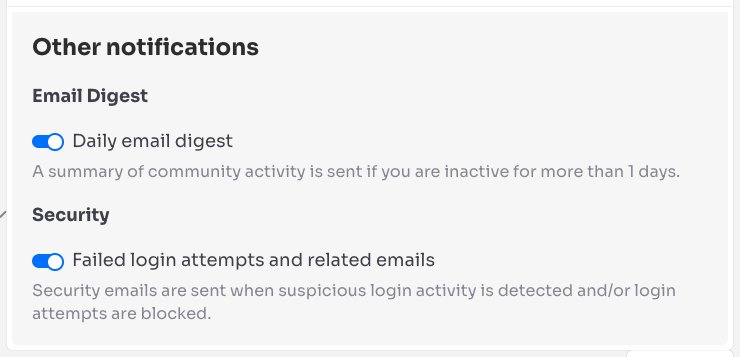
Other notifications #
Users can disable the below options if they don’t want to receive these email notifications.
Email Digest – enabled here if “Send Email Digest emails” is enabled in PeepSo Configuration > Email Digest.
Security – enabled here if “Login brute force protection” and “Email Notification” are enabled in PeepSo Configuration > Accounts & Security.