

To change the image quality for Avatars and covers navigate to WP Admin -> PeepSo -> Configuration -> Advanced and find the options in Storage panel
These settings will only work for newly uploaded images. If you already have users with avatar and images uploaded, quality of those image will remain the same.
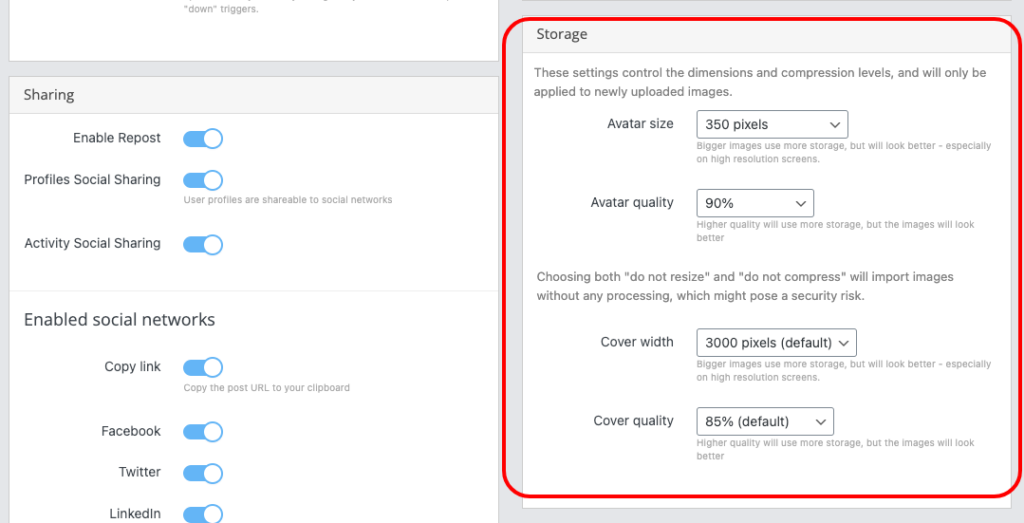
Avatar size
Bigger images use more storage, but will look better – especially on high-resolution screens.
Avatar quality
Higher quality will use more storage, but the images will look better.
Cover width
Bigger images use more storage, but will look better – especially on high-resolution screens.
Cover quality
Higher quality will use more storage, but the images will look better.
Choosing both “do not resize” and “do not compress” (for cover width and quality) will import images without any processing, which might pose a security risk.


