

In typical cases/installations, only administrators can delete the group, and this can only be done in the backend.
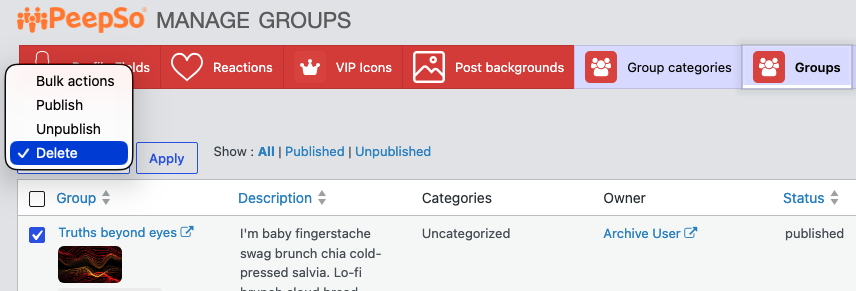
To do that, go to WP Admin > PeepSo > Manage > Groups.
- Select the group you want to delete.
- Then open Bulk Actions and select the Delete option.
- Press “Apply” to confirm the deletion.
Under certain conditions, group owners (and site admins) may be able to delete the group from the frontend.
To find out more, please check this: https://peepso.com/knowledgebase/frontend-group-page-deletion/


