

Communicate via private messages & real-time chat. Every community needs a convenient way for members to message each other privately. This plugin adds private messaging and also the possibility to create private group messages between members.
Chat works with other PeepSo plugins and features. For example, if the Photos plugin is also installed or the moods or location features are enabled, members will be able to add pictures, locations, and moods to their messages.
Chat Page
As soon as you activate the chat plugin, a new page will be created in WP Admin -> Pages
By default, this page is named “Messages” with permalink /messages and the shortcode “peepso_messages”
To access the Chat/Messages page, first click the “Messages” icon, then click the “View all” button. Here you can create a new conversation or search for chat messages.
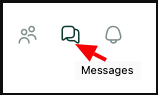
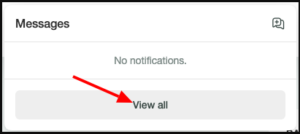
Start a new conversation
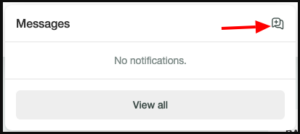
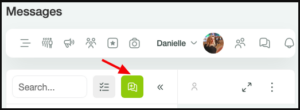
You can start a new chat by clicking the “New message” button, which can be found in a variety of places.
The “Messages” window:
The “Messages” page:
The “User Profile”:

The “Members” list:
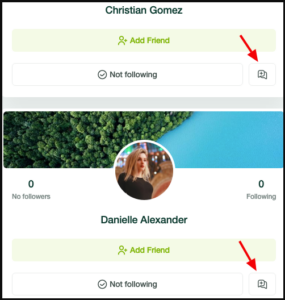
Hovering over the avatar or name:

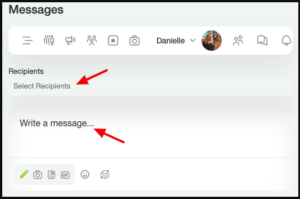
A message dialog will appear. Select recipients and write your message. You can also attach images, files, or GIFs, and moods and emojis. Click the “Send” button to send the message.
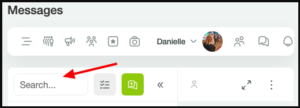
Search for chat messages
Search chat messages by content or users.
Conversation settings
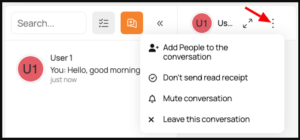
Clicking the Ellipsis in the upper right corner will bring up the following conversation options:
- Add People to the conversation
- Don’t send read receipt
- Mute conversation
- Leave this conversation
If the chat is running in the background and minimized, you will hear the sound of a new message, which is enabled by default. There is no setting to disable the sound both on the admin side in the back end and in the user profile settings on the front end.


