

Online forums are excellent for structured discussions, searchable questions, and long-term knowledge sharing. Social communities are better for quick updates, member interaction, relationship building, and daily engagement. The problem is that many site owners treat these as separate experiences.
A forum becomes useful but quiet. A social group becomes active but messy. Valuable answers get buried. New members struggle to find the right place to participate. Course creators, membership site owners, coaches, product founders, and niche community builders need both structure and connection.
A better approach is to build an online forum and social community together inside WordPress.
With PeepSo, site owners can create a community experience where members have profiles, share updates, join groups, follow activity streams, exchange messages, receive notifications, and participate in focused discussions. Instead of sending members to Facebook Groups, Discord, Circle, Mighty Networks, or another hosted platform, the community stays inside the website that already powers the brand.
The Difference Between an Online Forum and a Social Community
A traditional online forum is built around topics. Members visit a category, open a discussion, reply to a thread, and return later when they need more information. Forums work well for support, product questions, expert answers, tutorials, and evergreen knowledge.
A social community is built around people. Members create profiles, post updates, react to content, join groups, message each other, and build relationships over time. Social features help create momentum because members see activity happening around them.
The strongest communities use both. A forum gives the community structure. A social layer gives it life.
For example, a course creator might use forum-style discussions for lesson questions and PeepSo groups for each student cohort. A membership site owner might use structured topic areas for resources, while members use the activity stream for introductions, wins, feedback, and quick updates.
That combination creates a community that is easier to navigate and more enjoyable to use.
Why Build Your Forum and Social Community on WordPress
WordPress gives site owners control over the full community experience. The website, content, members, courses, products, SEO, payments, analytics, and community features can work together under one brand.
Hosted platforms can be convenient, but they also create limits. Facebook Groups keep members inside Facebook. Discord is fast, but conversations move quickly and can be difficult to organize. Mighty Networks and Circle are polished, but they place the core community on someone else’s platform. BuddyPress and BuddyBoss can work for some projects, but many site owners want a more practical WordPress community setup with a clean social experience.
PeepSo fits naturally into this gap.
It allows WordPress site owners to build a private or public social community directly on their own website. Members can interact through activity streams, profiles, groups, pages, media, notifications, and messaging. That gives the community a familiar social feel while keeping ownership inside WordPress.
The result is a more connected website. Blog posts, courses, products, events, memberships, and community discussions can support each other instead of sitting in separate tools.
Start With the Purpose of the Community
Before installing features, define the role your community will play.
A customer support community needs clear discussion categories, product groups, searchable answers, and notification settings that keep members informed.
A course community needs lesson-based conversations, cohort groups, student profiles, direct messaging, and spaces for accountability.
A creator community needs member introductions, content sharing, private groups, paid access, and a strong activity stream.
A business community needs networking, events, topic-based groups, member profiles, and ways to highlight expertise.
When the purpose is clear, the structure becomes easier to design.
A community should not start with every possible feature turned on. It should start with the member journey. New members should understand where to introduce themselves, where to ask questions, where to find important updates, and how to connect with other people.
PeepSo helps because the social foundation is already familiar. Members can visit profiles, post updates, join groups, share media, and follow conversations without needing a long explanation.
Plan the Core Structure Before Launch
A combined forum and social community needs a simple structure. Too many spaces create confusion. Too few spaces create clutter.
Start with the main areas members need every week.
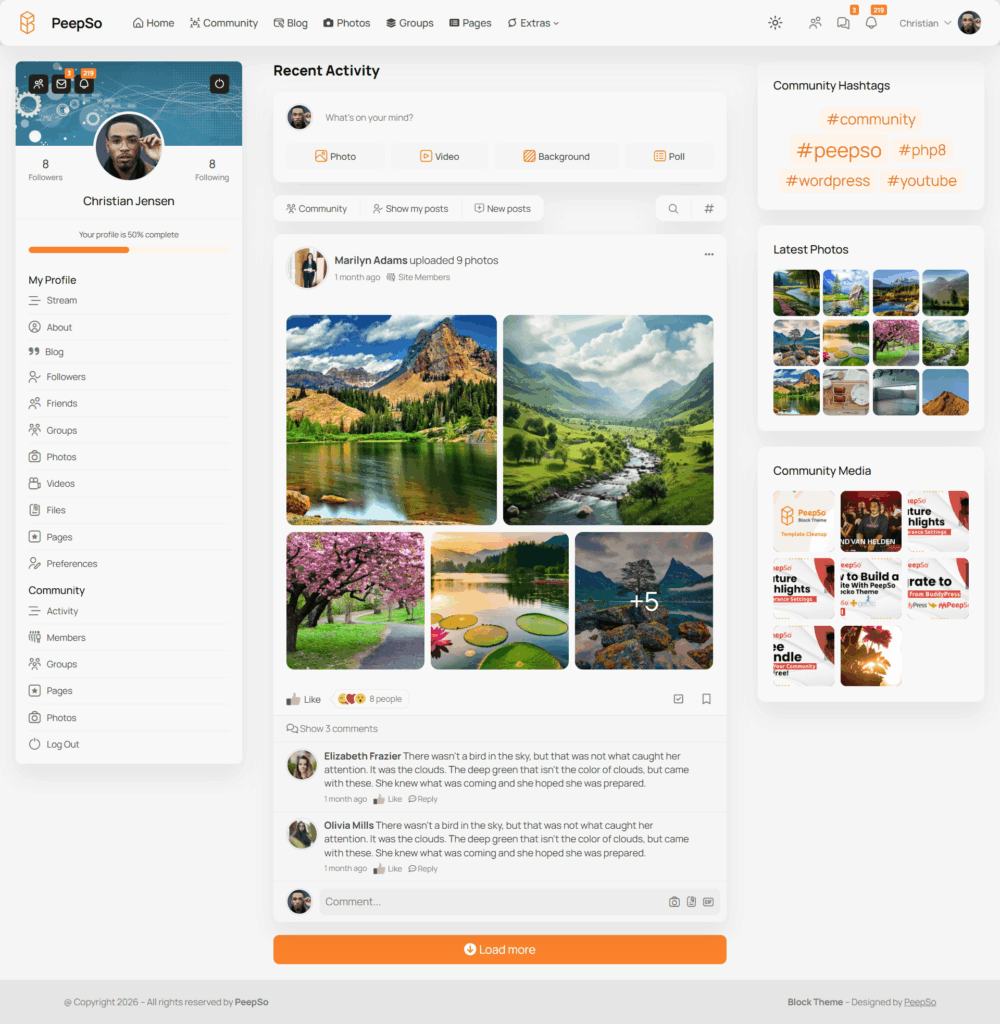
The activity stream can serve as the community’s central social feed. This is where members share updates, ask quick questions, celebrate progress, and see what is happening.
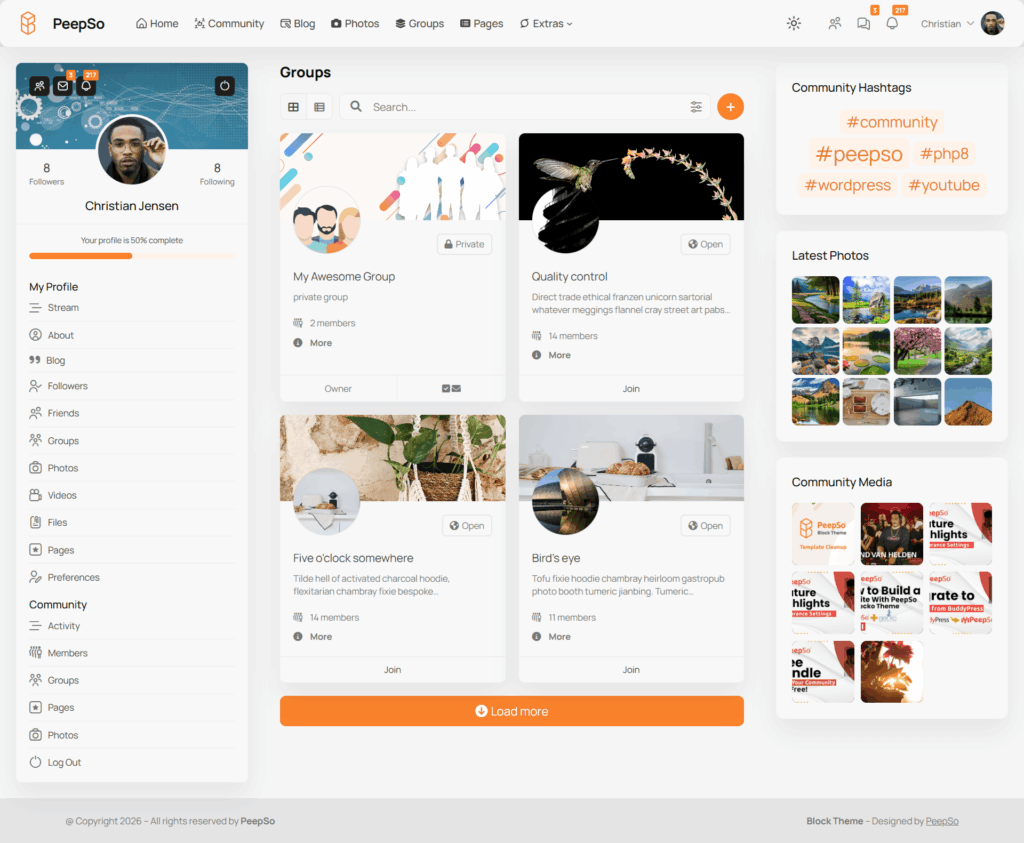
Groups can organize deeper conversations by topic, course, membership level, location, product, or interest. For many communities, groups work as the practical replacement for traditional forum categories.
Pages can support brands, teams, projects, or community-led initiatives. They give site owners and community managers another way to organize identity inside the platform.
Member profiles help people become visible. A strong profile system turns usernames into real people with interests, expertise, activity, and connections.
Messaging gives members a private way to continue conversations without moving to email or another app.
Notifications keep the experience alive. Members return when they know someone replied, mentioned them, commented on their post, or interacted with their content.
This structure gives the community both order and energy.
Use Groups Like Modern Forum Categories
Groups are one of the most effective ways to combine forum-style organization with social engagement.
A traditional forum category might be called “General Questions,” “Course Support,” “Introductions,” “Product Feedback,” or “Events.” Inside PeepSo, those same spaces can become community groups with their own activity and discussions.
This gives members a more social experience than old-style forums. They are not just entering a static message board. They are joining a focused space where people can post updates, share media, reply, and follow ongoing activity.
For a course website, groups might include “New Student Introductions,” “Lesson Questions,” “Accountability,” and “Graduate Network.”
For a membership site, groups might include “Weekly Wins,” “Expert Q&A,” “Templates and Resources,” and “Member Collaboration.”
For a product business, groups might include “Product Support,” “Feature Requests,” “Use Cases,” and “Customer Showcase.”
This approach keeps conversations organized without making the community feel outdated.
Create a Strong Member Profile Experience
Profiles are often the difference between a forum that feels anonymous and a community that feels personal.
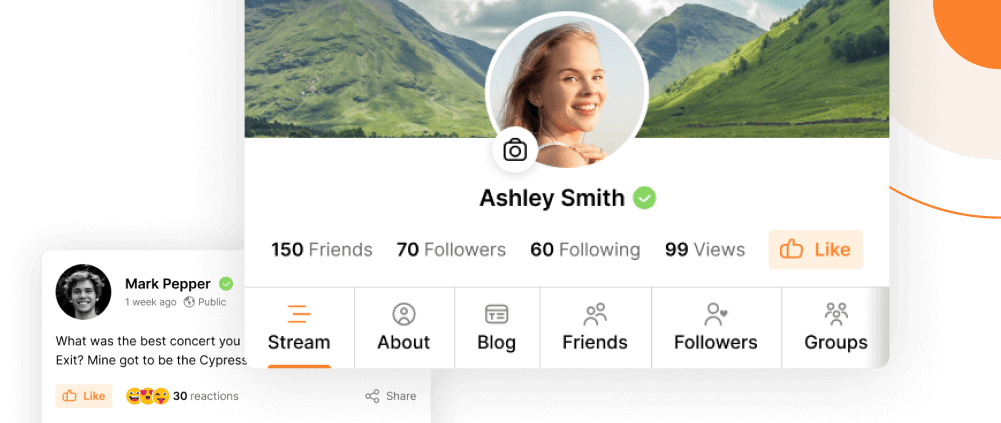
When members can create profiles, add information about themselves, view activity, and connect with others, participation becomes more natural. People are more likely to reply when they understand who they are talking to.
For business communities, profiles can highlight expertise and interests. For creator communities, profiles can help members find peers. For courses, profiles can make students feel part of a shared learning environment instead of a private login area with isolated lessons.
PeepSo member profiles give the community a social identity layer. Members are no longer just commenters or subscribers. They become visible participants.
This is especially useful for niche communities where relationships matter. A gardening membership, fitness coaching program, entrepreneur mastermind, language learning group, or professional association becomes stronger when members can recognize each other and follow activity over time.

Make the Activity Stream the Community Hub
A forum alone often depends on members knowing where to go. A social activity stream solves that problem by giving everyone a central place to start.
The activity stream can show recent updates, posts, comments, group activity, media sharing, and member interactions. It gives the community a sense of movement.
This is where PeepSo becomes especially practical. The activity stream creates a familiar social experience inside WordPress. Members can quickly see what is new, respond to conversations, and start their own updates.
A good activity stream should not become a random feed with no purpose. Community managers can shape it with clear habits.
Welcome new members in the stream. Post weekly questions. Share new resources. Highlight group discussions. Encourage members to share progress. Move longer or more specific discussions into the right group.
That gives members both freedom and direction.
Add Discussion Rules Without Making the Community Feel Strict
Every successful online community needs boundaries. The goal is not to control every conversation. The goal is to make participation safer, clearer, and more useful.
Create a simple community guidelines page inside WordPress. Link it from the community navigation, welcome area, and onboarding emails.
The guidelines should explain what members can post, where to ask questions, how to share promotions, what kind of behavior is not allowed, and how moderators handle problems.
For a combined forum and social community, rules should also explain where different conversations belong.
Quick updates can go in the activity stream. Topic-specific questions can go in groups. Private conversations can move to messaging. Official announcements can appear from the site owner or community team.
Clarity reduces moderation work. Members are more confident when they know how the community is organized.
Connect Community Features to Your Business Model
An online community should support the website’s larger goals.
For course creators, community features improve learning outcomes. Students can ask questions, meet peers, share assignments, and stay accountable.
For membership site owners, the community increases retention. Members are more likely to stay when they build relationships and see ongoing value.
For product businesses, the community can reduce repetitive support questions and surface useful feedback.
For creators and entrepreneurs, the community creates a direct connection with the audience without relying on rented social platforms.
Because PeepSo runs inside WordPress, it can work alongside the tools many site owners already use. WooCommerce can support product sales. LearnDash can power online courses. WP Event Manager can support events and meetups. Advanced Ads can support advertising and monetization. Paid Memberships Pro and other WordPress tools can help shape access and revenue models.
This is where WordPress ownership becomes powerful. The community is not separate from the business. It becomes part of the website ecosystem.
Design the Onboarding Experience
A new member should never land in an empty or confusing space.
After registration, guide them toward the first three actions. Complete the profile. Introduce themselves. Join the most relevant group.
That simple path helps members participate quickly.
A welcome post in the activity stream can explain what to do first. A pinned group post can explain the purpose of that group. A short onboarding email can point members back to their profile, the main activity stream, and the best starting group.
Use plain language. New members do not need a full tour of every feature. They need to know where to start.
For example, a course community might welcome members with a post that says they can introduce themselves in the student group, ask lesson questions in the course support group, and message the team for private account issues.
PeepSo makes this experience easier because the main social actions are familiar. Members understand profiles, updates, replies, groups, notifications, and messages.

PeepSo Power Suite
Decide What Should Be Public, Private, or Paid
Not every community area needs the same access level.
A public area can help with SEO and discovery. Searchable discussions, public resources, and community previews can attract new visitors.
A private area can protect member conversations. Paid communities, student groups, mastermind spaces, and customer-only support areas usually need restricted access.
A hybrid model often works best. Keep marketing content, blog posts, landing pages, and selected community information public. Keep member discussions, groups, profiles, and private content behind registration or membership access.
This gives visitors a reason to join without exposing everything.
WordPress gives site owners flexibility here. PeepSo can form the social community layer, while membership, ecommerce, course, and access tools shape the business model around it.
Moderate for Quality, Not Just Safety
Moderation is not only about removing spam or bad behavior. It is also about shaping the quality of the community.
A good moderator welcomes new members, redirects questions to the right space, answers unanswered posts, highlights useful discussions, and encourages quieter members to participate.
In a combined forum and social community, moderation also keeps structure from breaking down.
When a detailed support question appears in the activity stream, move the conversation toward the right group. When the same question appears repeatedly, create a resource and link to it. When a member shares a useful answer, highlight it.
This keeps the community useful as it grows.
The goal is not to make everything perfect. The goal is to help members trust that the community is active, organized, and worth returning to.
Common Mistakes to Avoid
Many community projects fail because they try to copy large social platforms too early.
A new community does not need dozens of groups, complex rules, or too many features. It needs a clear purpose, visible activity, and a simple path for members to participate.
Another mistake is hiding the community behind too many clicks. Members should be able to reach the activity stream, groups, profiles, and messages easily from the site navigation.
Site owners also underestimate the importance of early content. Empty communities feel abandoned. Before inviting members, create welcome posts, starter discussions, resource links, and a few example conversations.
Finally, do not rely only on announcements. Communities grow through interaction. Ask members to share experiences, answer questions, post examples, and support each other.
PeepSo gives the structure, but the community culture comes from how the site owner uses it.
Conclusion
Building an online forum and social community together gives website owners the best of both worlds.
The forum side creates structure, searchable discussions, and topic-based organization. The social side creates daily activity, member relationships, profiles, updates, media sharing, notifications, and private conversations.
For WordPress site owners, PeepSo provides a practical way to bring these pieces together inside one owned platform. It helps creators, course builders, membership site owners, entrepreneurs, and businesses build communities without sending their audience to Facebook Groups, Discord, or hosted community platforms.
A successful community starts with a clear purpose, a simple structure, strong onboarding, active moderation, and useful integrations. With PeepSo, that community can become part of the website itself, connected to content, courses, products, events, memberships, and long-term growth.



Reactions & comments
Comments