


A membership community is one of the most effective ways to turn your website into a recurring revenue business. Instead of relying only on one-time purchases, pageviews, or scattered social media engagement, you build a space where members pay for ongoing access, conversations, resources, and relationships.
The challenge is that many site owners start with the wrong setup. They add a membership plugin, lock a few pages, and assume they now have a real community. In practice, that usually feels limited. Members may be able to read content, but they do not get a strong sense of belonging or interaction. A true membership community needs more than protected posts. It needs profiles, activity, messaging, groups, and clear access rules tied to paid membership levels.
That is where PeepSo and Paid Memberships Pro work especially well together. Paid Memberships Pro handles the membership levels, checkout, and recurring billing. The free PMPro Roles add-on creates a WordPress role for each membership level. Then PeepSo User Limits can use those roles to control what members can do inside the community. This gives you a practical way to gate access behind payment without forcing your members into a third-party platform.
If you want to build a membership community on WordPress that you fully control, this is one of the most effective setups available.
Why a membership community matters
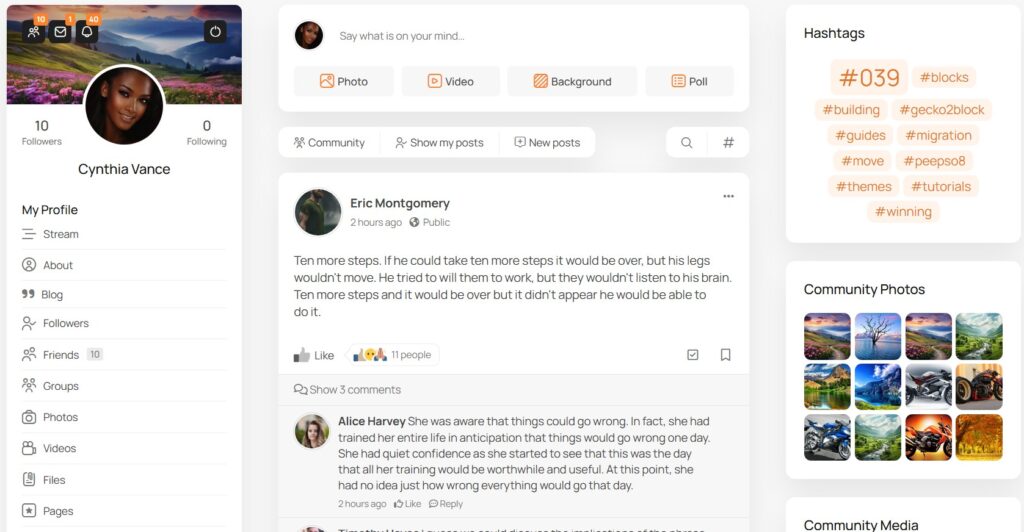
A membership community is valuable because it creates recurring engagement, not just recurring billing. Members are not only paying for content. They are paying for access to conversations, people, support, accountability, and a sense of belonging.
That is a big difference from a basic membership site. A standard membership site often focuses on locked articles, courses, or downloads. A membership community adds a social layer that keeps people coming back. Members can interact with each other, build relationships, join groups, send messages, and participate in an active stream of discussion.
This is also why many creators eventually outgrow platforms like Facebook Groups or Discord. Those tools can seem convenient at first, but they come with tradeoffs. You do not fully control the platform, the user experience is not built around your WordPress site, and monetization often feels disconnected from the actual community experience.
With PeepSo, you keep the community on your own website. That matters for branding, ownership, member experience, and long-term growth. Because PeepSo is built for WordPress, it fits naturally with membership plugins like Paid Memberships Pro and gives you the social networking features that turn a paid area into a real membership community.
What you need to build this setup
To create this kind of membership community, you need a simple but purposeful plugin stack.
At the center is WordPress. Then you add Paid Memberships Pro to manage membership levels, checkout, and subscriptions. After that, install the free PMPro Roles add-on so each membership level can assign a WordPress role. Finally, use PeepSo User Limits to restrict community features based on those roles.
This setup works well because each plugin has a clear job:
- Paid Memberships Pro handles billing and memberships
- PMPro Roles connects membership levels to WordPress roles
- PeepSo turns your site into a social community
- PeepSo User Limits uses roles to gate actions and access
That separation of responsibilities makes the site easier to manage and easier to scale.

Step 1: Define your membership levels before touching the settings
Before installing anything, decide what your membership community will actually offer.
This is the step many site owners rush through, but it shapes everything else. If your levels are unclear, your access rules will become messy. If your offer is clear, the technical setup becomes much easier.
A simple structure might look like this:
- Free visitors can view pages and posts
- Paid members can access the main community, post updates, comment, and message other members
- Premium members can share media, or unlock advanced participation features
This matters because the PMPro Roles add-on creates a custom WordPress role for each membership level. That means your level names and structure should reflect real business decisions, not temporary placeholders.
Think carefully about what each paid level should unlock. In a strong membership community, value often comes from things like:
- access to the full activity stream
- member profiles
- private messaging
- access to groups and / or pages
- networking and accountability
These are exactly the kinds of experiences PeepSo is designed to support.
Step 2: Set up Paid Memberships Pro and create your membership levels
Once your offer is clear, create the membership levels in Paid Memberships Pro.
This is where you define pricing, billing terms, and the main structure of your offer. Some site owners keep this very simple with one paid tier. Others use two or three tiers to create a clear upgrade path.
For example, you might create:
Community Member
This is your main entry-level paid plan. It unlocks access to the core membership community and the standard social features.
Pro Member
This is your higher-value plan. It includes the core community plus premium, richer interaction, or extra access to specialized areas.
VIP or Coaching Tier
This could provide unrestricted access. The important thing is that your membership levels reflect the experience members will get inside PeepSo, not just the billing logic inside PMPro.
At this point, it is also a good idea to review your checkout and registration flow. The simpler the signup process, the easier it is for members to move from buyer to active participant.

PeepSo Power Suite
Step 3: Use the PMPro Roles add-on to connect payment to access
This is the key technical bridge in the whole setup.
After installing the free Roles for Membership Levels add-on from Paid Memberships Pro, each membership level can assign a WordPress role. The add-on also creates a custom role for each level, which means the member’s paid plan can be translated directly into a role that other plugins understand.
This is what makes the setup so useful for a membership community. Instead of only knowing whether someone paid, your site now knows which role they have. That role can then be used to control access and participation across your community.
For example:
- Free Membership level can assign the Free Member role
- Pro Membership level can assign the Pro Member role
- VIP level can assign the VIP role
This gives you a clean system where payment unlocks role, and role unlocks community access.
It is also worth noting an important detail. If you activate the PMPro Roles add-on after members already exist on the site, those existing users may need to be updated so they receive the correct new roles. That is a practical step many site owners overlook during setup.
Step 4: Turn your site into a real membership community with PeepSo
Once payment and roles are connected, the next step is building the actual community experience.
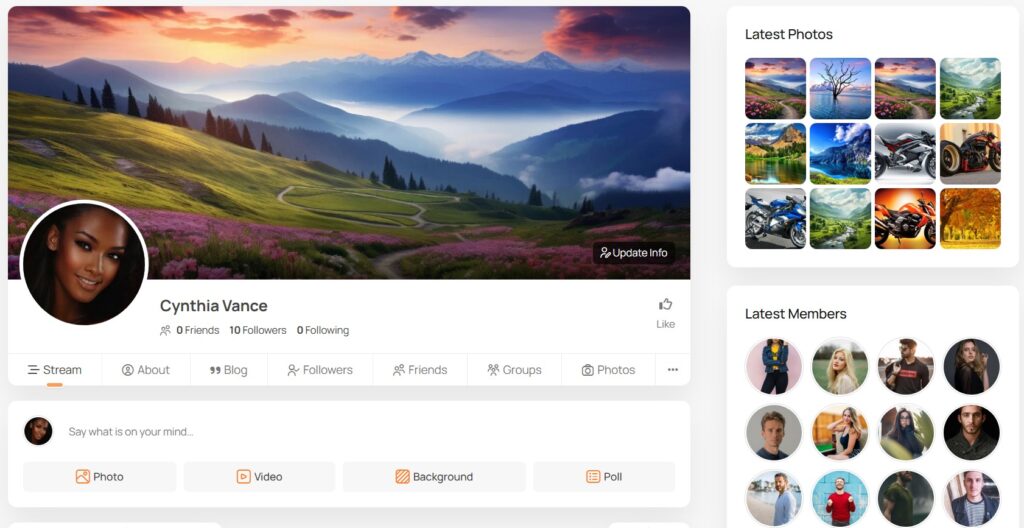
This is where PeepSo becomes essential. A membership community should not feel like a locked folder of content. It should feel like a living space where members can interact, return regularly, and build relationships over time.
PeepSo gives you the core social features that make that possible. These include:
- activity streams
- member profiles
- private messaging
- groups and pages
- media sharing
These features are what transform a WordPress site into a membership community instead of a simple membership library.
From a business perspective, this matters because community creates retention. Members are much more likely to stay subscribed when they feel connected to people and conversations, not just files or lessons.
Step 5: Use PeepSo User Limits to gate community features by membership level
This is the step that makes the setup especially powerful.
With PeepSo User Limits, you can restrict specific community actions based on the WordPress roles assigned by PMPro. That means you are not limited to hiding pages or posts. You can control what members can actually do inside the community.
For example, you can decide which roles are allowed to:
- create posts
- comment on updates
- react to content
- send messages
- create groups
- upload photos
- participate more deeply in the network
This is much more effective than simple content protection because it creates visible differences between membership levels. A standard member might access the main feed and messaging, while a Pro member gets premium access to groups, media uploads, or additional community privileges.
That makes your paid tiers feel more meaningful. Members are not just paying to read more. They are paying to participate more fully.
This also creates a better upgrade path. If someone wants more interaction, more visibility, or more access, moving to a higher membership level becomes a logical next step.
Step 6: Improve onboarding so paid members become active members
Getting someone to pay is only the first win. The second win is getting them involved.
A membership community works best when new members quickly understand where to go, what to do, and how to participate. Without a clear onboarding path, many new members log in once and then disappear.
A good onboarding flow should guide members toward a few key actions:
- complete their profile
- upload a profile photo
- introduce themselves
- join the right groups
- make their first post
- start connecting with other members
This is another area where PeepSo is especially useful because the social structure is already built around participation. Instead of sending members into a cold dashboard full of settings, you can direct them into a familiar front-end community experience.
You can even use role-based restrictions strategically here. For example, some site owners encourage profile completion before unlocking deeper participation features. That can improve the quality of engagement and reduce low-effort accounts inside the community.
A practical example of a membership community setup
Here is a straightforward model that works well for creators, educators, and membership site owners.
A visitor lands on your WordPress site and sees the benefits of joining your membership community.
They purchase the Community Membership plan through Paid Memberships Pro.
That membership level assigns the correct WordPress role through the PMPro Roles add-on.
Because PeepSo User Limits recognizes that role, the new member can now access the activity stream, comment, message other members…
If they later upgrade to a Pro membership, PMPro updates the access level, the role changes, and PeepSo can unlock additional privileges such as media uploads, richer sharing, or more advanced participation options.
This is a clean and scalable way to build a membership community because each part of the system has a clear role and the user journey feels connected.
You can also reference the PeepSo feature highlight video about Paid Memberships Pro integration in your published article as a useful visual companion for readers who want to see the setup in action.
Common mistakes to avoid
One of the biggest mistakes is thinking a membership community is just protected content. That usually leads to a weak experience. People stay for relationships and participation, not only for locked pages.
Another mistake is creating too many tiers without clear differences. Keep your levels simple enough that members can easily understand what they get and why an upgrade matters.
A third mistake is forgetting to map membership levels to practical community actions. If a member pays more, that should result in a visibly better experience inside PeepSo, whether that means more access, deeper interaction, or premium spaces.
Finally, do not ignore onboarding. Even the best membership community structure will underperform if new members are not shown how to participate.
Why PeepSo is the best practical solution for a membership community
For WordPress site owners, PeepSo is the best practical solution because it combines ownership, integration, and real community features in one platform.
You keep the entire membership community on your own site. You control the member experience. You can connect payments, roles, and access without sending users into a third-party ecosystem. And because PeepSo includes activity streams, profiles, messaging, groups, and notifications, it supports the kind of interaction that makes members stay engaged over time.
That is what makes this setup stronger than trying to piece together a paid community through external tools. It is not just about gating content. It is about building a proper membership community that feels active, structured, and worth paying for.
Conclusion
If you want to create a membership community on WordPress, the most effective approach is to connect three things: payment, roles, and community permissions.
Paid Memberships Pro handles the commercial side. The free PMPro Roles add-on turns membership levels into WordPress roles. PeepSo turns your site into a social network, and PeepSo User Limits uses those roles to decide what members can access and do.
That combination gives you a practical, scalable way to build a real membership community instead of a simple paywalled site. Members can unlock access through payment, join the right spaces, and participate in a social environment that feels valuable from day one.
For creators, membership site owners, course builders, and entrepreneurs who want full control over their platform, PeepSo is the strongest WordPress-based solution for building a membership community that people will actually use.



Reactions & comments
Comments