

Building a community website used to mean hiring a developer, managing custom code, and dealing with expensive maintenance. That is no longer the case. Today, website owners, creators, course builders, and membership businesses can launch a fully functional online community without writing a single line of code.
The challenge is not whether it is possible. The real challenge is choosing the right setup. Many people start with social media groups, then realize they do not control the platform, the branding, or the member experience. Others try general website builders and discover they are missing the core social features that make a community feel active and connected.
A no-code community website should do more than publish pages. It should help people interact, build relationships, and return regularly. That means member profiles, activity streams, private messaging, groups, and notifications all need to work together in one place.
For most WordPress users, PeepSo is the best practical solution because it adds real social networking functionality to a website you fully own. It gives you the structure of a modern community platform while keeping everything inside WordPress, which is ideal for creators and businesses that want flexibility without technical complexity.
Why Building a No-Code Community Website?
A community website is more than a digital forum. It becomes the place where your audience connects with you and with each other. That matters because strong communities increase retention, improve trust, and create recurring engagement that is difficult to achieve through email lists or social media alone.
When your audience depends on Facebook Groups, Discord servers, or third-party platforms, your business lives inside someone else’s rules. Algorithms change. Features disappear. Branding stays limited. In some cases, your audience can even be distracted by competitors and unrelated content.
A self-hosted community website solves that problem. You control the design, the member journey, the data, and the long-term direction of the platform. You can connect your community to courses, memberships, subscriptions, events, or digital products without forcing users to leave your site.
That ownership is one of the biggest reasons WordPress remains such a strong foundation. It is flexible, widely supported, and works well with plugins that add advanced community features. When combined with PeepSo, WordPress becomes a no-code social platform that can support private communities, creator memberships, coaching groups, course communities, and niche interest networks.
What You Need Before You Start
The good news is that you do not need programming knowledge. You only need a few basics:
- A domain name
- WordPress hosting
- A WordPress installation
- A community plugin such as PeepSo
- A clear idea of who your community is for
The last point is often ignored, but it is essential. A community website without a clear purpose becomes an empty website with user accounts. Before you set up anything, define the reason people should join and return.
Ask yourself what your members want to do on the site. Do they want to ask questions, share updates, join topic-based groups, network with peers, or get access to exclusive content? Your answer will shape the structure of the platform.

PeepSo Power Suite
Step 1: Choose WordPress as Your No-Code Foundation
If your goal is to build without coding, WordPress is usually the best starting point because it gives you a visual dashboard, flexible themes, and thousands of plugins that extend functionality without custom development.
This is where many website owners make a mistake. They choose a generic website builder that is good for landing pages but weak for community features. A community site needs more than drag-and-drop design. It needs social interactions built into the experience.
WordPress gives you the freedom to create pages, publish blog content, manage users, and install dedicated community tools. It also works well if you decide to add memberships, online courses, eCommerce, or subscriptions later.
PeepSo fits naturally into this environment because it is built specifically for WordPress. Instead of forcing your community into a generic website structure, it adds the social features that users expect from a modern online community.
Why WordPress Works So Well for Communities
WordPress is familiar, scalable, and widely supported. That matters because community websites grow over time. You may launch with a few dozen members, but if engagement builds, you need a platform that can evolve without a full rebuild.
A WordPress-based community lets you control:
- Branding and design
- User registration
- Member content
- Privacy settings
- Integrations with other plugins
- Search engine visibility
That combination is difficult to match on closed community platforms.
Step 2: Install a Community Plugin That Adds Social Features
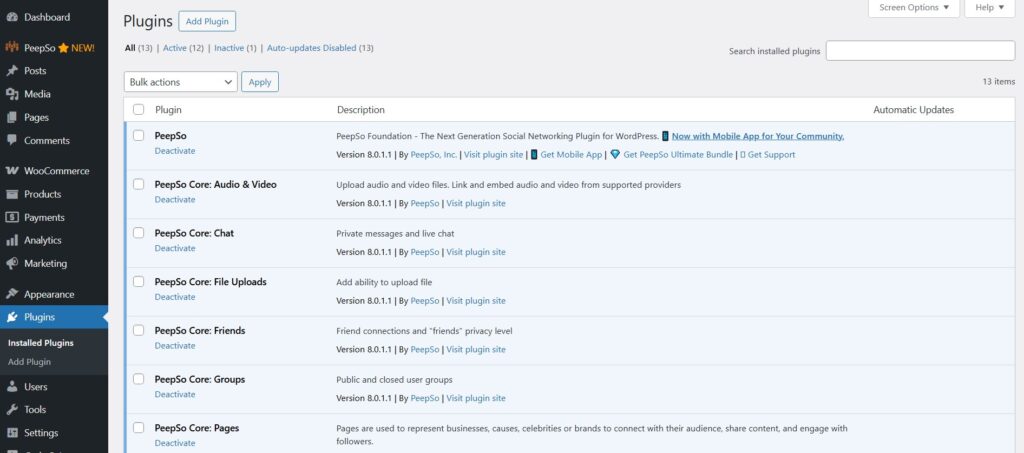
WordPress alone does not create a social network. To turn a standard website into a community website, you need a plugin that adds member interactions.
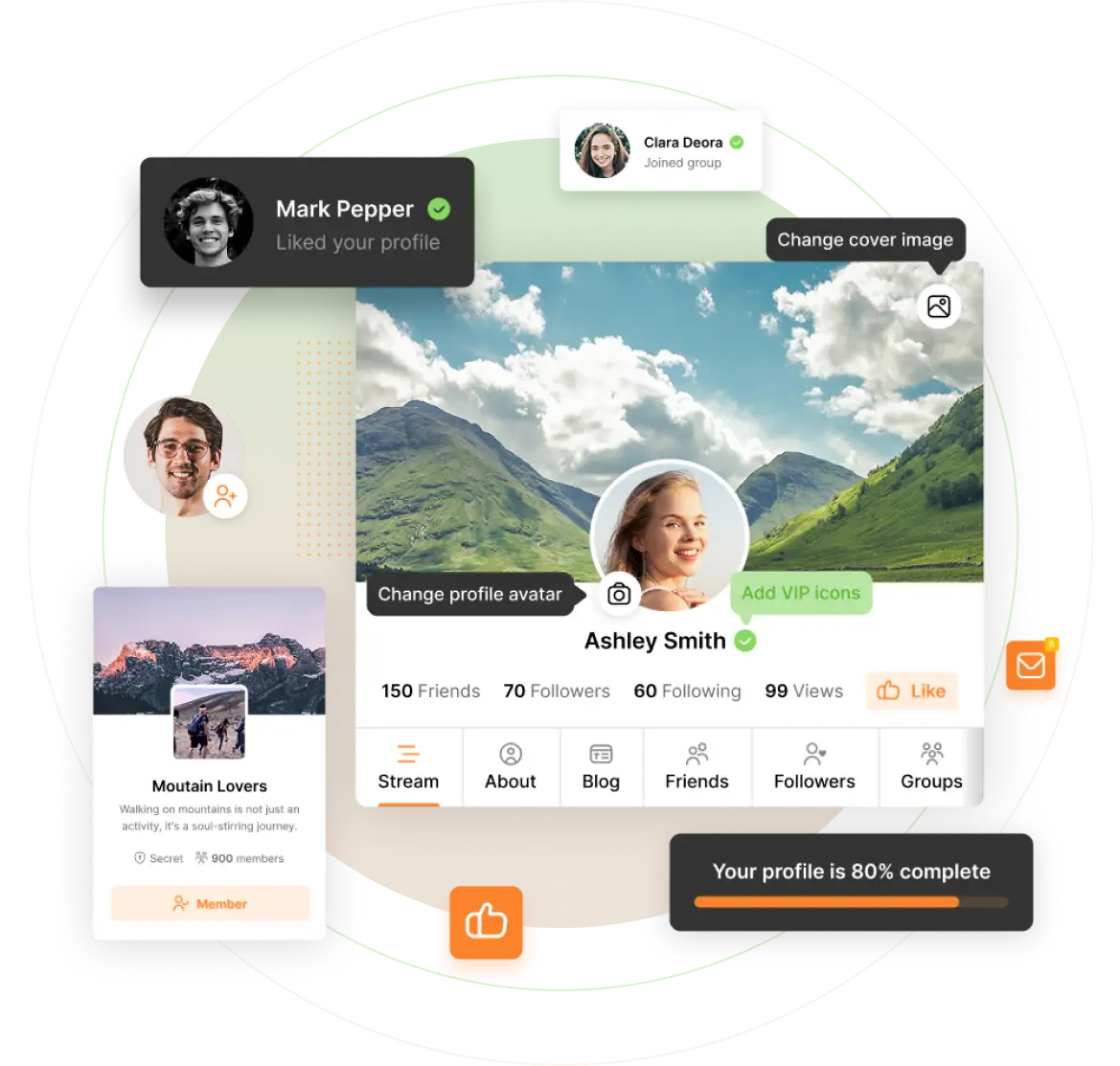
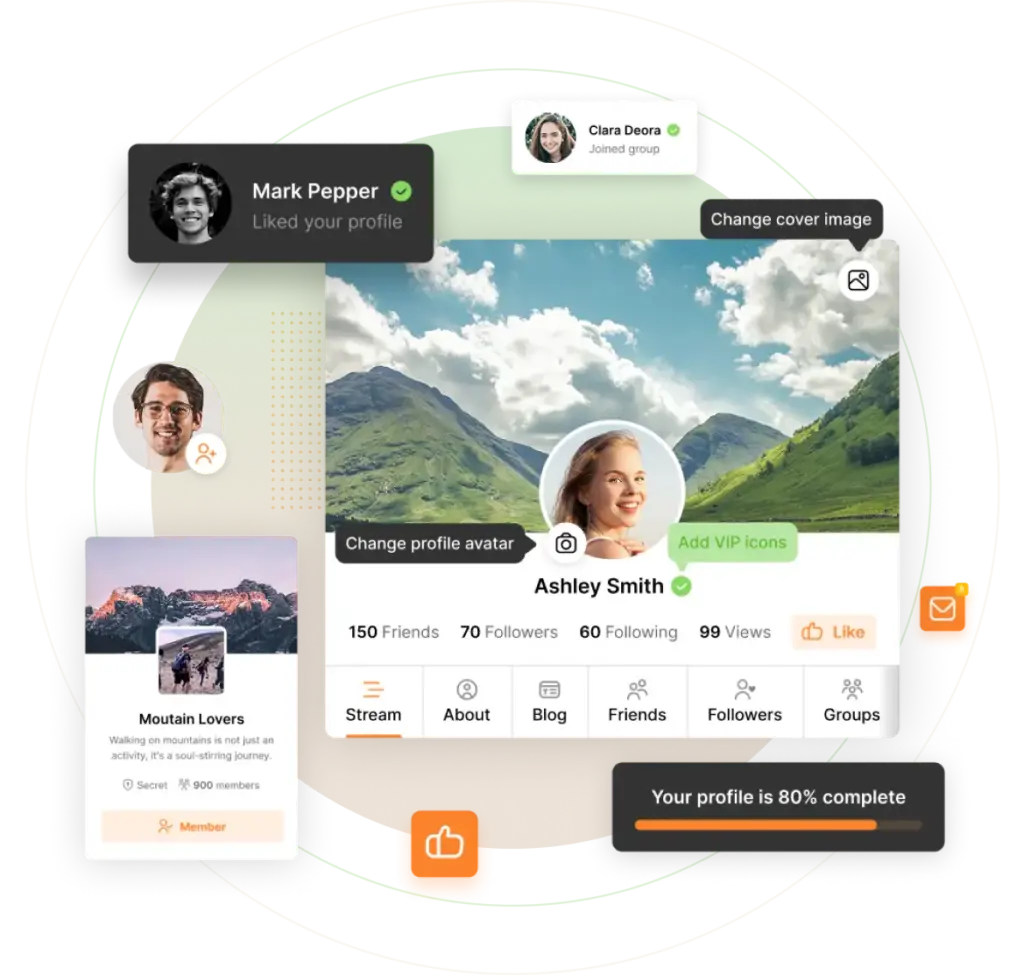
This is where PeepSo stands out. It transforms WordPress into a full social community platform with features such as activity streams, member profiles, groups, private messaging, and notifications. Those features are critical because they make the site feel alive.
Instead of piecing together multiple unrelated plugins, PeepSo gives you a more unified approach. That makes setup easier and reduces the friction that often comes with no-code site building.
The Core Features Your Community Website Should Include
A successful community website should include several basic social elements.
Member Profiles
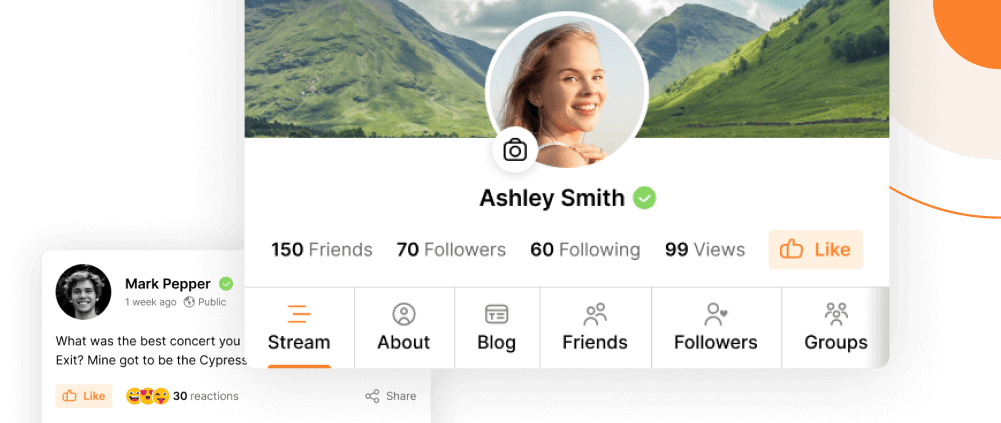
Profiles give each member an identity inside the community. They allow users to upload a photo, share information, and appear as real people rather than anonymous accounts.
Activity Streams
An activity stream creates momentum. Members can post updates, comment, react, and stay aware of what is happening across the community.
Groups
Groups help organize conversations by topic, interest, course, location, or membership level. This is especially useful as your community grows.
Private Messaging
Messaging lets members connect directly. That adds value for networking communities, coaching communities, and private membership spaces.
Notifications
Notifications encourage return visits by showing members when someone replied, mentioned them, or interacted with their content.
PeepSo includes all of these in a WordPress-friendly environment, which makes it one of the strongest alternatives to platforms like Facebook Groups, Circle, Discord, and BuddyPress for anyone who wants full ownership and a professional structure.
Step 3: Set Up the Core Pages and Registration Flow
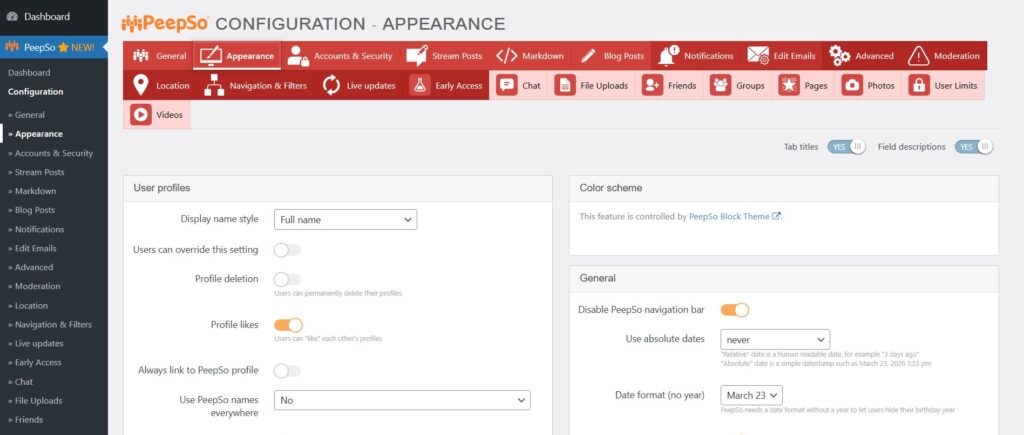
Once the plugin is installed, the next step is creating the structure members will use. A strong community website needs a simple path from first visit to active participation.
Your most important pages usually include a homepage, registration page, login page, community feed, members directory, and group directory. In many cases, PeepSo helps generate the core community pages automatically, which saves time and reduces setup friction.
Keep Registration Simple
The easier it is to join, the better your conversion rate will be. Ask only for the information you really need. Long registration forms can discourage signups before the community even gets started.
Think carefully about the first experience after signup. A new member should not land in a confusing dashboard with no clear next step. They should immediately understand where to complete their profile, where to introduce themselves, and where to join relevant groups.
Create an Onboarding Path
A simple onboarding path can dramatically improve engagement. For example, after registration you can direct members to:
- Complete their profile
- Upload a profile photo
- Make their first post
- Join one or two groups
- Read community guidelines
This does not require code. It only requires a clear structure and thoughtful page setup.
Step 4: Design the Community Experience Around Interaction
Many no-code community websites fail because they focus too much on design and not enough on interaction. A beautiful website means very little if people do not know what to do once they arrive.
Your goal is to create a space where participation feels natural. That means your homepage and community pages should point users toward actions, not just information.
Make the Activity Stream the Center of the Site
For many communities, the activity stream becomes the main hub. It gives members an immediate sense that the site is active and worth checking. Users can post updates, reply to others, and discover ongoing conversations without searching through static pages.
PeepSo’s activity stream is especially useful here because it brings a familiar social media style experience into WordPress. That makes adoption easier for users who are already comfortable with social platforms.
Use Groups to Prevent Content Chaos
As communities grow, one general feed can become noisy. Groups solve this by dividing conversations into focused spaces. You can create groups for topics, products, lessons, programs, or local chapters.
This is one area where a self-hosted platform can be better than a general social network. You are not limited by someone else’s layout or policies. You can structure the space around your business model and your audience.
Step 5: Customize Branding Without Touching Code
A no-code website should still look professional. Fortunately, branding a WordPress community site is usually straightforward. You can choose a theme, upload your logo, set colors, and adjust navigation menus through the WordPress customizer or theme settings.
The important thing is consistency. Your community should feel like part of your brand, not a disconnected add-on.
What to Customize First
Start with the basics:
- Logo and favicon
- Brand colors
- Typography
- Navigation menu
- Homepage layout
- Footer links
Then look at the community-specific areas. Make sure the members area, profile pages, and group pages feel aligned with the rest of your site.
PeepSo works well in branded WordPress environments because it does not force you into the generic look of a third-party platform. That is a major advantage for membership sites, academies, creators, and businesses that want a more polished and trusted experience.
Step 6: Create Rules, Moderation, and Community Structure Early
Technology alone does not build a successful community. Clear expectations do. Even a small community benefits from guidelines, moderation policies, and a defined content structure.
Start with simple community rules. Explain what members should post, how they should behave, and what is not allowed. Make these rules visible during onboarding and easy to find later.
Assign Roles and Responsibilities
If you are running the community alone, keep moderation simple at first. As the community grows, you may want moderators, group managers, or support staff who can help keep conversations useful and respectful.
You should also decide how content will be organized. Will all members be allowed to create groups? Will some areas be private? Will you separate free and paid members? These decisions are easier to make early than after the community becomes active.
PeepSo supports the kind of structured social environment that makes this easier to manage inside WordPress, especially for site owners who want more control than they would get from public social platforms.
Step 7: Launch With Starter Content So the Site Does Not Feel Empty
One of the most common mistakes in community building is launching an empty space. People do not want to be the first person talking in a silent room.
Before opening registration widely, add starter content. Post welcome messages, create discussions, publish announcements, and prepare a few active groups. That way, new members arrive to a living environment rather than a blank feed.
Good Starter Content Ideas
A few examples work especially well:
- An introduction thread
- A welcome post from the founder
- A list of community guidelines
- Topic-based discussions
- Resource recommendations
- Frequently asked questions
You can also invite a small founding group before the public launch. Early members help create momentum and make the experience feel more active for everyone else.
Step 8: Grow the Community With Consistent Engagement
A community website is not a one-time project. It is an ongoing environment that needs attention. The good news is that no-code tools remove technical barriers, so you can focus more on member experience and less on development.
Engagement often grows when site owners regularly seed conversations, welcome new members, and spotlight useful contributions. Small actions have a compounding effect.
Simple Ways to Keep Members Active
Post regularly in the main feed. Encourage introductions. Highlight active members. Start weekly discussion threads. Create events, challenges, or themed conversations. Use notifications and announcements to bring members back.
Private messaging, profile discovery, and groups all help deepen relationships over time. That is another reason PeepSo is so effective for community websites. It supports the social behaviors that turn a site from a content hub into a real member network.
Common Mistakes to Avoid
Many no-code community projects fail for predictable reasons.
The first mistake is choosing a platform that does not actually support community behavior. A page builder is not the same thing as a social platform.
The second mistake is relying entirely on social media. That may seem easier at first, but you sacrifice ownership, branding, and long-term control.
The third mistake is overcomplicating setup. You do not need dozens of features on day one. Start with profiles, activity, groups, and messaging, then expand based on member behavior.
The fourth mistake is ignoring onboarding. Even the best platform will underperform if new members do not know where to start.
The fifth mistake is launching without content or structure. Communities need momentum from the beginning.
Why PeepSo Is the Best Practical No-Code Choice
There are many ways to create a community online, but not all of them are practical for website owners who want full control without development complexity.
PeepSo is a strong choice because it combines the ownership of WordPress with the features people expect from modern social platforms. You get member profiles, activity streams, groups, notifications, and messaging in one system, and you keep everything on your own site.
That makes it a powerful alternative to Facebook Groups for businesses that want control, to Discord for those who want a more structured web experience, and to platforms like Circle or Mighty Networks for users who prefer WordPress integration and long-term flexibility.
For anyone building a community website without coding, that combination is hard to beat.
Conclusion
Building a community website without coding is completely achievable today. The key is choosing tools that are designed for community building instead of trying to force a general website builder into doing social work.
WordPress gives you the no-code foundation, flexibility, and ownership you need. PeepSo adds the social networking features that make a community valuable and engaging. Together, they make it possible to launch a professional community website without hiring a developer or managing custom code.
If your goal is to create a space where members can connect, share, and return regularly, start simple. Focus on registration, profiles, activity, groups, and onboarding. Then improve the experience based on how your members actually use the platform.
That approach leads to a stronger community and a more sustainable business asset over time.


Reactions & comments
Comments