
A client message like this is unsettling:
“Someone has consistently attempted to force a login onto my site. What shall I do to protect my environment, and how can I stop this?”
In the example alert, the site recorded 12 failed login attempts, triggered 3 lockouts, and temporarily blocked the attacking IP address. This tell few things right away. First, the site is potentially being targeted. Second, at least one security control is already working, because the login attempts were detected and the IP was blocked before a successful login was reported.
That does not mean you should ignore it. Repeated failed logins are often the early warning sign of a brute force or credential stuffing attempt. Attackers use automated tools to try username and password combinations until one works. WordPress now describes brute force attacks as repeated automated login attempts that can target any public login surface, and recommends a layered response that includes strong passwords, two-factor authentication, login rate limiting, XML-RPC protection, updates, and monitoring.
If you run a community site, the stakes are even higher. A compromised account is not just a dashboard problem. It can expose member data, private messages, profiles, moderation tools, and reputation inside your network. That is especially important on a site powered by PeepSo, where community activity, member profiles, groups, messaging, and notifications all depend on trusted user access.
Why repeated failed logins happen?
A failed-login alert usually means someone or something found your login page and is testing credentials. In many cases, the attack is not personal. It is automated. Bots scan the web for WordPress logins and try common usernames, leaked credentials, or weak passwords at scale. It’s important to note that even unsuccessful brute force attempts can still consume server resources, while OWASP recommends defenses like lockouts, failed-login throttling, logging, and multi-factor authentication to reduce risk.
The good news is that the notification you got already shows one protective layer doing its job. The IP was blocked until a specific time, which means your current security stack is not ignoring the attack. Still, lockouts alone are not enough. Lockout policies should be carefully designed so they slow attackers without creating a denial-of-service (DoS) problem for real users. In practice, that means you should combine lockouts with stronger authentication and broader login protection, not rely on IP blocking by itself.
If you prefer the video though, we got you covered:
What to do first after receiving this kind of alert
The first priority is to confirm that the attack failed. Review your security logs, recent user activity, and administrator accounts. Check whether there were any successful logins from unfamiliar locations, any newly created administrator users, or any unexpected changes to user emails, plugins, or site settings. If you have an audit log plugin or hosting security dashboard, review the time period around the alert.
Next, change passwords for all administrator accounts, hosting accounts, database panels, and email accounts tied to the site. We recommend strong, unique passwords. Do not use personal details, dictionary words, short passwords, or anything based on your username or site name. WordPress can also generate strong passwords by default when you create or reset an account.
This is also the right moment to enable two-factor authentication for every privileged account. WordPress’s current brute force guidance recommends 2FA for all administrator accounts, and OWASP explicitly recommends multi-factor authentication to reduce the risk of brute force, credential stuffing, and stolen password reuse. be aware that WordPress core does not include 2FA by default, so you need to add it through a reputable plugin.
One more practical step is to review the username being targeted. If your primary administrator username is predictable or already widely known, create a new administrator account with a less obvious username, confirm it works, then demote or remove the older account if possible. Do not use obvious administrative usernames and keep the number of administrator accounts low.
Strengthen the login layer, not just the password
The most effective way to stop repeated login abuse is to treat your login page like a high-value entry point. A strong password is essential, but it should sit inside a broader login defense.
Limit retries and keep lockouts in place
If your site already sent a lockout email, keep that feature enabled. Login throttling is one of the most common protections against brute force attacks, PeepSo is a perfect fit here because it allows you to configure the number of tries before attempts are locked out. The goal is to make automated guessing expensive and slow.
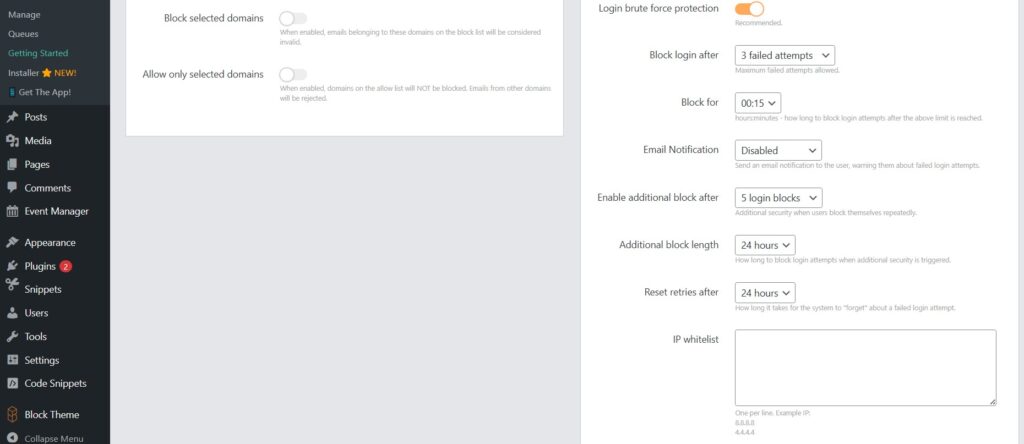
That said, choose reasonable settings. Too lenient, and attackers keep hammering the login form. Too aggressive, and real users get locked out too easily. A sensible configuration usually combines a small retry threshold, temporary lockouts, logging, and administrator alerts.
Add CAPTCHA or Turnstile on the login screen
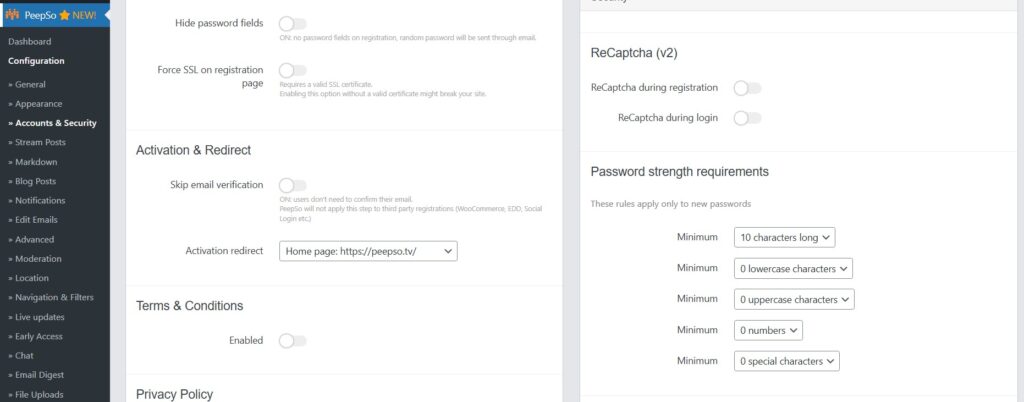
Putting a CAPTCHA or Turnstile challenge on the login screen to slow bots is another great protection. This is especially useful on membership sites where the login form is publicly accessible and sees regular traffic. It will not replace passwords or 2FA, but it reduces automated noise and can cut down on repeated credential testing.
Use a WAF or host-level protection
WordPress now also recommends edge-level protection, such as a CDN or WAF, because it can block malicious traffic before it reaches your server. This is particularly important during heavier attack periods, when even failed login attempts can waste application resources. If your host offers brute force protection, bot filtering, or IP reputation rules, enable them. If you use a CDN or firewall service, make sure login endpoints are covered by rate limits or bot controls.
Protect or disable XML-RPC if you do not need it
Disable xmlrpc.php It is as a frequent target. If your site does not use XML-RPC for mobile publishing, Jetpack, or other integrations, disable it. If you do need it, restrict and rate-limit it aggressively. This is one of the most overlooked parts of WordPress login security because site owners often focus only on wp-login.php.
Do not rely only on hiding the login URL
Some site owners move or obscure the default login URL. That can reduce automated noise, but obscuring the login page should not be your only defense. It is a convenience layer, not a primary security control. Keep it secondary to stronger measures like 2FA, rate limiting, and WAF protection.
Harden the rest of the environment
A login attack is often the moment site owners realize they need broader security habits. That is the right takeaway. The safest response is not a single fix. It is a layered environment.
Use stronger passwords and a password manager
Use long, unique passwords. Avoid anything tied to your name, username, company, or website. Use password managers, because password reuse is one of the fastest ways for one compromised account elsewhere to become a compromised on your own site. WordPress-generated passwords are designed to be strong, and the built-in strength meter helps users judge password quality during resets and changes.
Reduce administrator access
WordPress has predefined user roles with different capabilities, and not every team member needs administrator rights. Fewer privileged accounts mean fewer high-value targets. Keep administrator access limited to people who actually manage the site. Use Editor, Author, Moderator, or other lower-privilege roles for daily operations wherever possible.
Keep WordPress, plugins, and themes updated
Security patches only help if they are installed. For business-critical sites, update policies should be deliberate, tested, and monitored, but they should not be neglected. Outdated plugins remain one of the easiest ways to turn a login problem into a full compromise.
Maintain real backups
Backups are part of account protection because they are your recovery path if an attack ever succeeds. You need both the database and the site files to fully restore a typical site, backup both. Keeping multiple recent backups and storing them in different locations is also great idea. Hosting backups are useful, but you should know how to back up and restore your own site as well. Peepso Power Suite does all of this and more, effortlessly.

PeepSo Power Suite
Extra considerations for PeepSo community sites
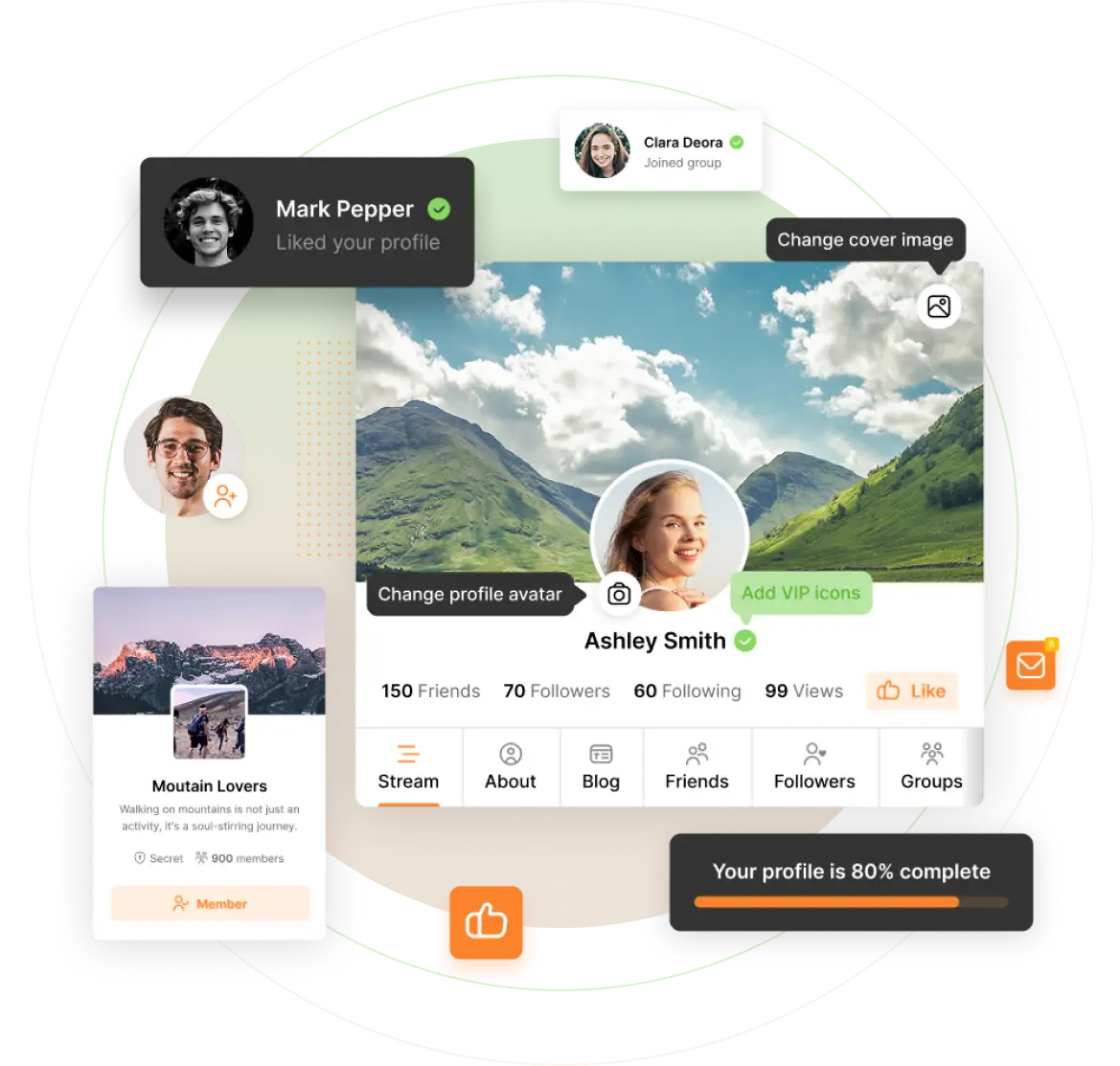
On a simple brochure website, a compromised login is bad enough. On a community platform, the impact spreads further because user trust is part of the product. A compromised moderator or administrator account can affect member profiles, private conversations, groups, notifications, and the overall credibility of the community.
That is why PeepSo site owners should think about account protection in layers. Start with the most privileged accounts first. Protect administrators, moderators, and support staff with unique passwords and 2FA. Review who actually needs back-end access. In many cases, community staff can do their work with lower privileges than a full site administrator. That reduces risk without slowing the team down. WordPress’s least-privilege approach aligns well with how a well-run PeepSo community should be managed.
It is also smart to communicate security expectations to members. Encourage unique passwords, explain why suspicious login notices should be taken seriously, and make recovery options easy to find. A well-managed PeepSo community feels safer because trust is visible not only in the design of the platform, but in the way accounts are protected and supported.
Conclusion
Repeated failed login attempts are common on WordPress sites, but they should never be ignored. The right response is not to wait for the next alert. It is to strengthen the login layer, reduce administrator exposure, enable 2FA, protect high-value endpoints, keep the site updated, and verify that recovery backups are ready.
A secure PeepSo environment protects not only the site owner, but also the members, conversations, and trust that make the community valuable in the first place. The best practical approach is layered security. Do not depend on one plugin setting or one blocked IP. Build a login and account strategy that assumes attacks will happen, then make sure they fail.


Reactions & comments
Comments